
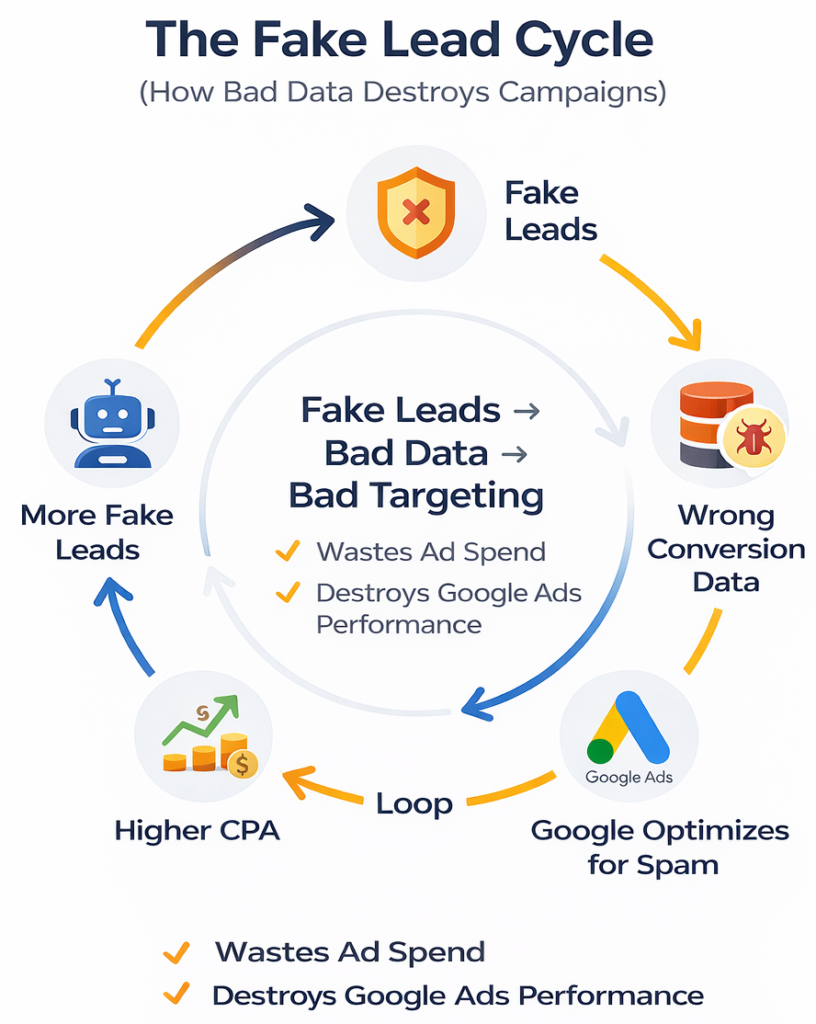
Fake leads don’t just waste ad budgets, they destroy your entire Google Ads strategy.
Every fake lead costs money upfront. Your sales team wastes hours chasing numbers that don’t exist. Morale drops when half their leads are garbage.
Worse, fake leads poison your conversion data. Google’s algorithm learns from every conversion. When you feed it spam submissions and bot fills, the system optimizes for more of the same. Your campaigns target the wrong people, CPA climbs, and scaling becomes impossible.
Bad data creates bad targeting, which attracts more fake leads, which creates worse data. This guide shows exactly how we reduced fake leads for real clients specific changes that worked, not theory.
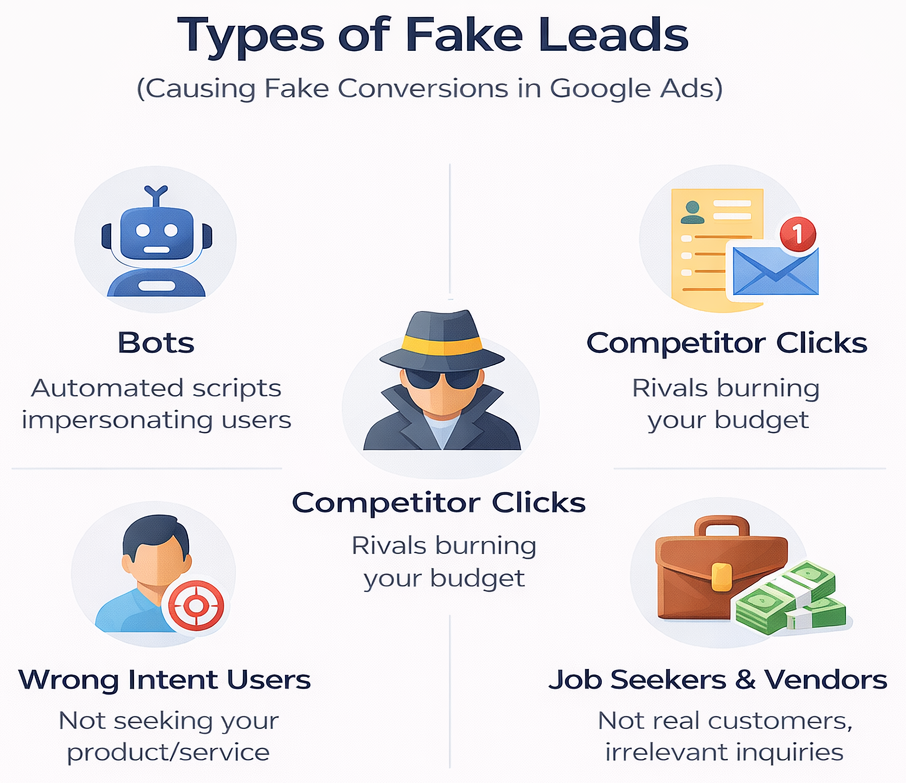
Bot submissions: Automated scripts filling forms instantly with gibberish details like “test@test.com.”
Competitor clicks: Competitors checking your offers, filling forms with fake details to see your process.
Wrong intent users: People searching matching keywords but wanting something different like free tutorials when you sell paid courses.
Spam form fills: Random submissions with promotional messages or irrelevant inquiries.
Job seekers & vendors: Real people but not buyers asking for jobs or trying to sell you services.
How they show up:
- Bots: Instant submissions, duplicate IPs
- Competitors: Valid details but never answer calls
- Wrong intent: Immediate bounce after submit
- Job seekers: Mention “opportunities” or “partnership”
Industry analysis of 2.6 billion clicks revealing how invalid traffic and click fraud waste global ad budgets. See fraud breakdowns by industry and traffic sources to understand your vulnerability:
Wrong location settings attract spam from regions you can’t serve.
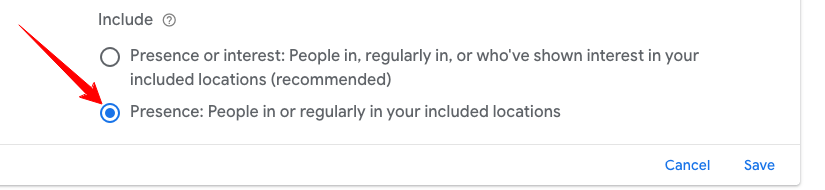
Fix location settings (hidden but critical): Google’s default targets “people in or interested in your locations.” This means two groups see your ads: 1st people physically in your area, and 2nd anyone searching about your location from anywhere in the world. Someone in New York searching “MBA in Mumbai” triggers your Mumbai-targeted ad wasting budget on geographically irrelevant clicks that look like fake leads.
How to fix:
- Go to campaign settings → Locations
- Click “Location options” (advanced)
- Select “Presence: People in your targeted locations”
- Deselect “Interest: People searching for your targeted locations”

Other fixes:
✓ Exclude countries you don’t serve
✓ Target specific cities, not entire states
✓ Review location reports weekly
✓ Check device performance adjust if one shows 70%+ fake rate
Counting every form submission as a conversion teaches Google to find more spam.
Check your primary conversion settings: Google Ads often selects multiple conversion actions as “primary” by default page views, button clicks, scroll depth, and other micro-actions. This inflates your conversion count dramatically. Your campaign might show 100 conversions, but only 15 are actual form submissions. Google optimizes for the inflated number, not the real leads you care about.
Fix this immediately:
- Go to Tools & Settings → Conversions
- Review all conversion actions
- Set only actual lead submissions (form fills, calls) or purchase (if you are an ecommerce) as “Primary”
- Mark everything else as “Secondary”
- Page Visits
- Clicks
- Engagement
- Contact
- Get directions
- Download
Why tracking every submit is wrong: When you mark bot fills, competitor clicks, and job seekers as “conversions,” Google’s algorithm optimizes for exactly that pattern. You’re literally training it to bring more fake leads.
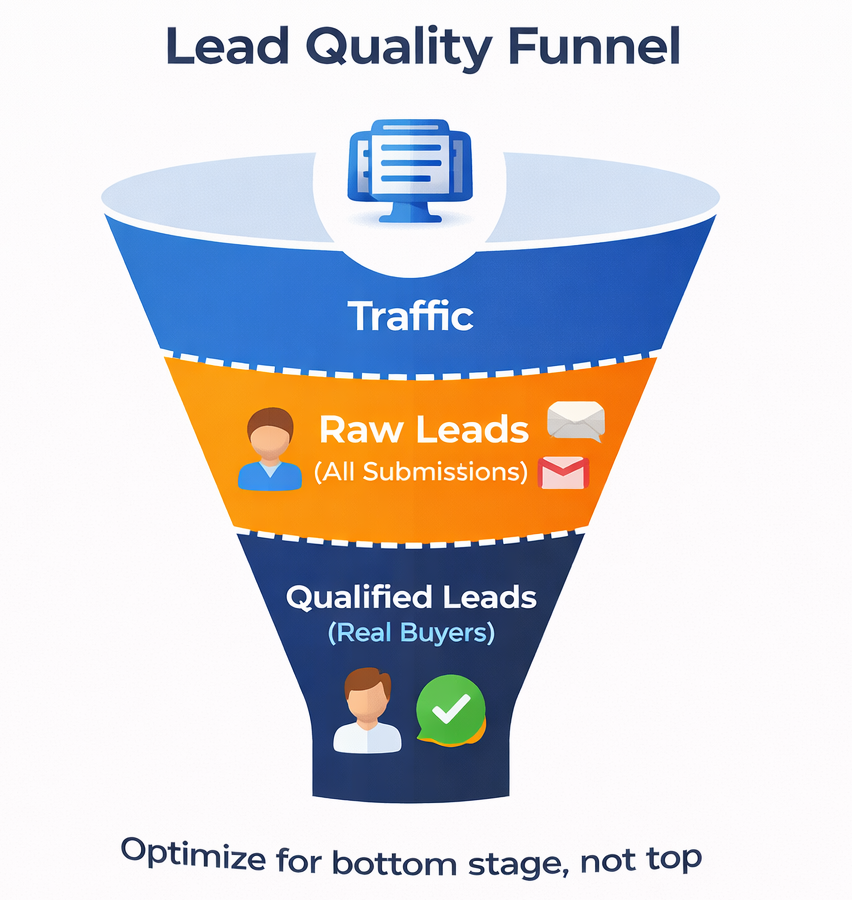
Track what actually matters:
- Raw leads: Form submissions (initial conversion)
- Qualified leads: Verified, real prospects (import as offline conversion)
Set up two conversion actions. Use qualified leads as your primary optimization goal, not raw submissions.
How offline conversion tracking works:
- Export leads from CRM weekly
- Mark which ones are real/qualified
- Upload back to Google Ads with GCLID
- Google learns which clicks led to quality leads
- Algorithm shifts toward similar patterns
CRM integration basics: Connect your CRM (Zoho, Salesforce, HubSpot) to Google Ads. Automatically sync lead status. When sales marks a lead as “qualified” or “junk,” that data flows back to Google. Your campaigns get smarter automatically.
This single change tracking quality, not quantity often cuts fake leads by 40-50%.
Step-by-step setup instructions for importing qualified leads: Google Offline Conversion Tracking Guide
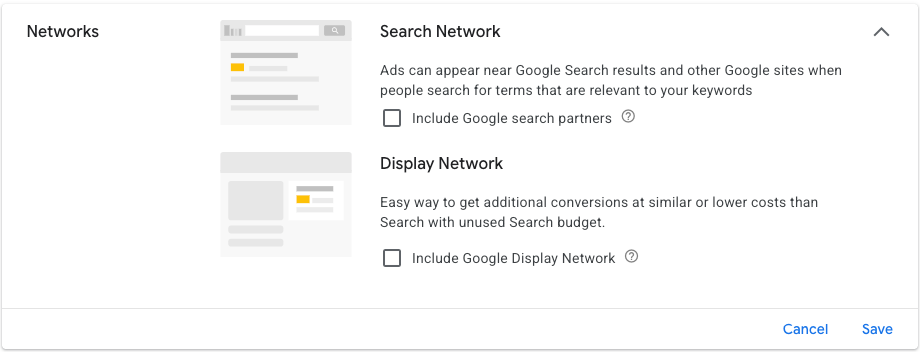
Remove networks: Uncheck “search partners” and “display expansion” during setup. Focus search budgets on Google Search only.
Other settings:
✓ Disable display expansion
✓ Turn off search partners
✓ Set ad rotation to “Optimize”
✓ Exclude countries you don’t serve
✓ Target specific cities, not entire states
✓ Review location reports weekly
✓ Check device performance adjust if one shows 70%+ fake rate
Check old campaigns too; these defaults cost thousands.
Why Performance Max Fails for Lead Generation
Performance Max spreads ads everywhere Search, YouTube, Gmail, banners, Discover. It chases volume across all placements.
Real client data:
- Performance Max: 1,023 leads from $20,911 spent → 90-95% were junk
- Sales team got wrong numbers, uninterested people, competitors

What happens:
- YouTube viewers accidentally tap while watching videos
- Gmail users click then bounce immediately
- Banner ads interrupt people reading news
These aren’t prospects, they’re accidental clicks.
Why Search Campaigns Win
Someone typing “MBA colleges in Mumbai” has clear buying intent. They’re actively searching for your service right now.
Real client data:
- Search campaigns: 148 leads from $13,326 spent → 95-98% were real buyers
- Genuine inquiries, answered calls, ready to purchase

Search delivers:
- Users with specific needs
- Ready-to-decide prospects
- Real calls and genuine inquiries
Build Search campaigns with:
- High-intent keywords (“apply,” “hire,” “get quote”)
- Phrase/exact match
- Strong negative keywords
- Search network only
Fewer leads, more real buyers. Quality beats quantity.
Exception: Pmax works for eCommerce. For services, education, B2B? Choose Search.
The Problem
Our solar installation client was working with a well-known agency that delivered high lead volume but zero quality. Most leads wouldn’t answer calls, had no interest in solar, or were completely irrelevant job seekers, competitors, spam.
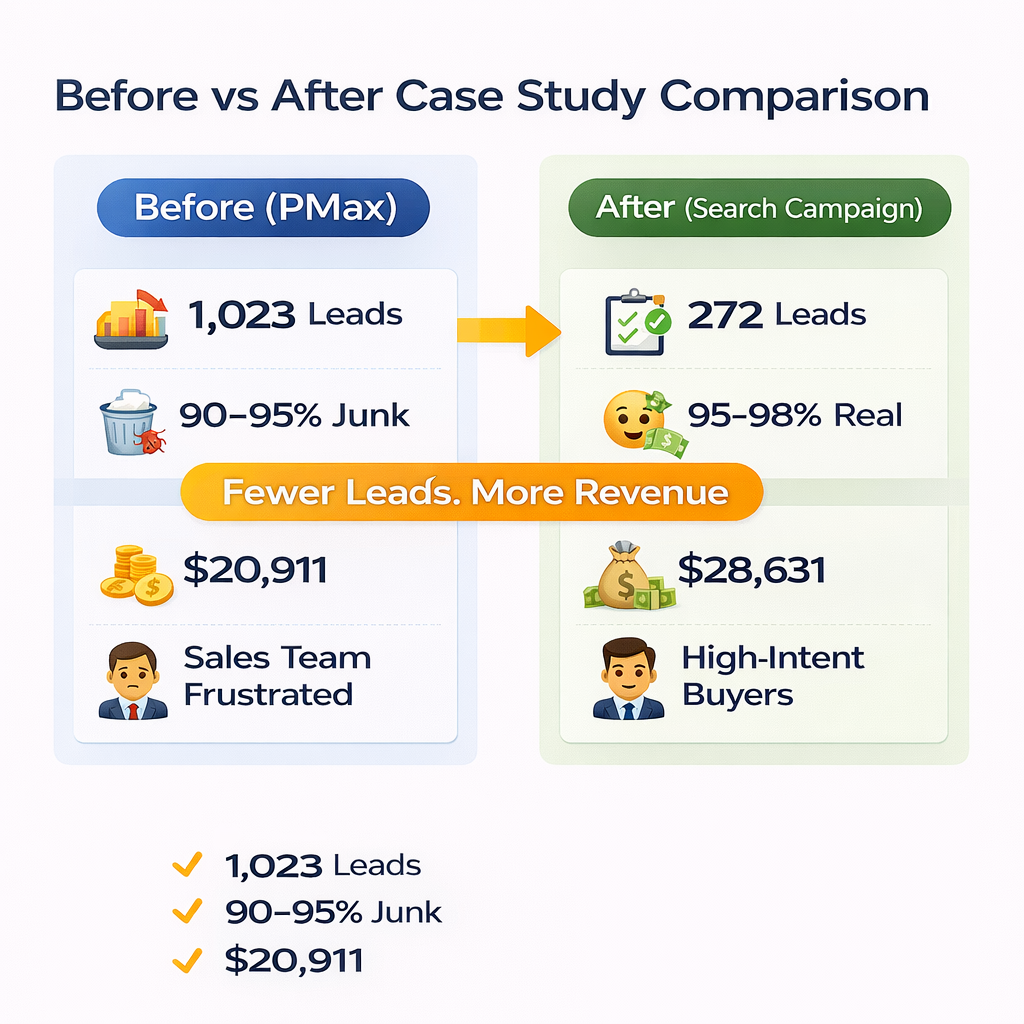
Performance Max Results: 1,023 leads from $20,911 spent but 90-95% were junk. The sales team wasted time on fake inquiries while real opportunities were buried.
What We Changed
We paused everything and rebuilt from scratch:
- Stopped Performance Max completely
- Focused on Google Search campaigns (solar buyers actively search)
- Redesigned landing page with better content and CTAs
- Implemented anti-spam measures
- Installed ClickCease software to block fake traffic IPs
- Used Google IP exclusions for additional spam sources
- Ensured accurate location targeting
Every change prioritized real buyers over high numbers.
The Results
Search Campaign Performance: 272 leads from $28,631 spent 95-98% were genuine buyers who answered calls and moved forward.

Transformation:
- Before: 1,023 leads (90-95% fake) costing $20,911
- After: 272 leads (95-98% real) costing $28,631
Fewer leads. Real business results.
The client went from wasting budget on junk to receiving daily calls from ready-to-buy homeowners.
See detailed campaign structures, month-by-month progression, and the full strategy behind these results: